




Showing posts with label How I Spend My Money. Show all posts

Tuesday, January 21, 2014

Favorite Photo Editing Phone Apps

I love taking pictures, you would hope since I am a professional photographer; but I definitely don't always break out my big camera.  For the day to day I more often than not use my iPhone as I have it with me in the moment.  Since I use my phone so much, I have tried a lot of different photo editing apps and wanted to share my favorites.
App


These are all iPhone photo editing apps, but many (if not all, I didn't check) are available on Android.

Editing/Lighting

pictapPicTapGo ($1.99)

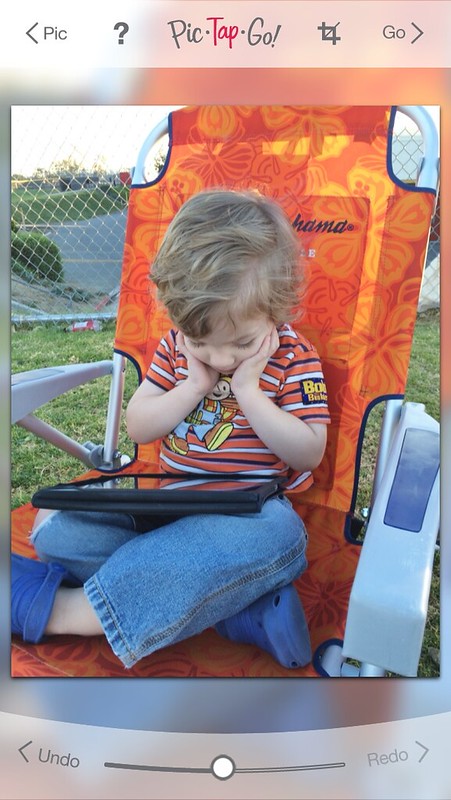
This is by far my go to App.  You start off with a whole list of crops sizes, including the instagram square, and then can layer your edits.  There are about 60 different edits (or filters), which you can see in a live preview as to how they will affect your picture.  My favorite that I use on almost every picture  is "Lights On" it really brightens a picture.  The best part, with the little slider at the bottom you can decrease/increase the strength of every filter; this is a huge plus!
IMG_8556
You can then swipe the list of filters back up and pick another edit to layer on top.

If you find a certain edit you really like, maybe the 'lights up', 'saturation' and 'warm it up', you can  save it as a recipe and it can become it's own one click edit.
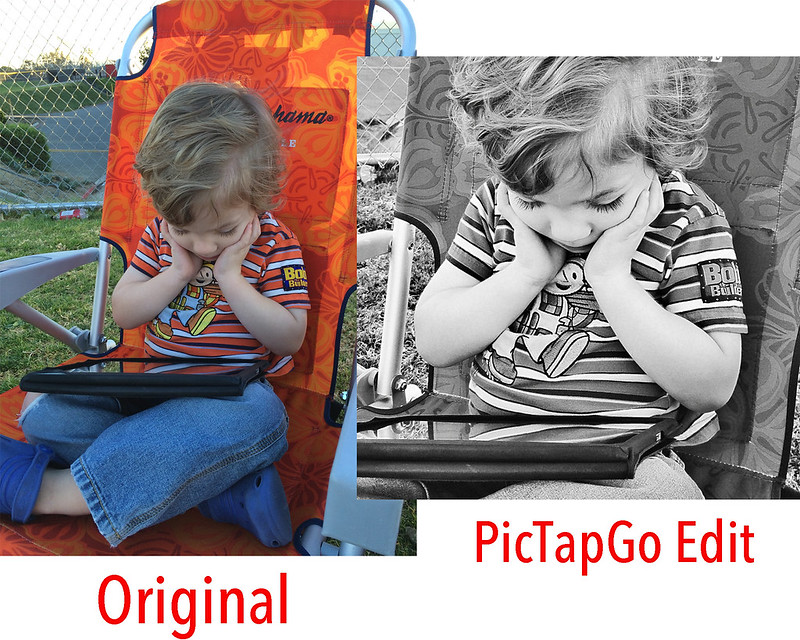
beforeafter

You can then easily export the picture straight to Instagram, Facebook, Twitter, your camera roll and so many more.

I also love that for the $1.99 you get it all, no tricky in-app purchases later on for more filters.

After Edits/Text

When you want to add fun borders and texts I have two apps I love.

rhonaRhonna Designs  ($1.99)
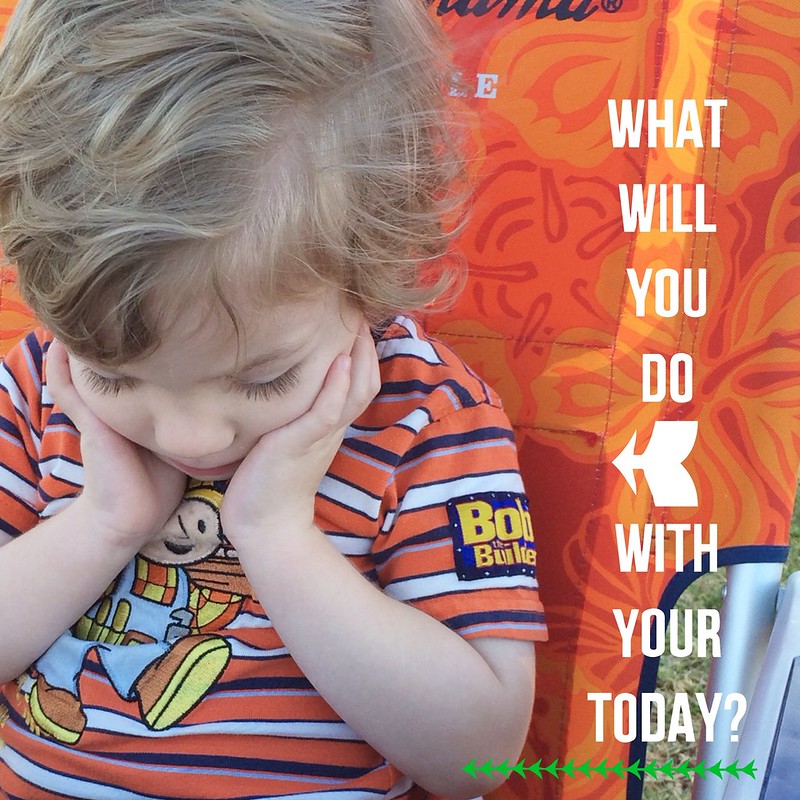
If you have seen those pictures on Instagram with cute quotes and arrows and fancy designs; there is a good chance it came from the Rhonna Designs App.  This App has a lot of prewritten quotes and also a lot of different fun fonts that you can write your own quote.

You can resize the words, symbols and text and can change the color.   There are in-app purchases with this one, but there are frequent updates with more designs for free and it seems to continue to grow with more possibilities regularly.
IMG_8559
This app does have about 20 filters, which you can adjust the strength, but you cannot layer them.  I usually edit a picture in PicTapGo then bring it into Rhonna if I want to add the extra text or designs.


messA Beautiful Mess ($.99)
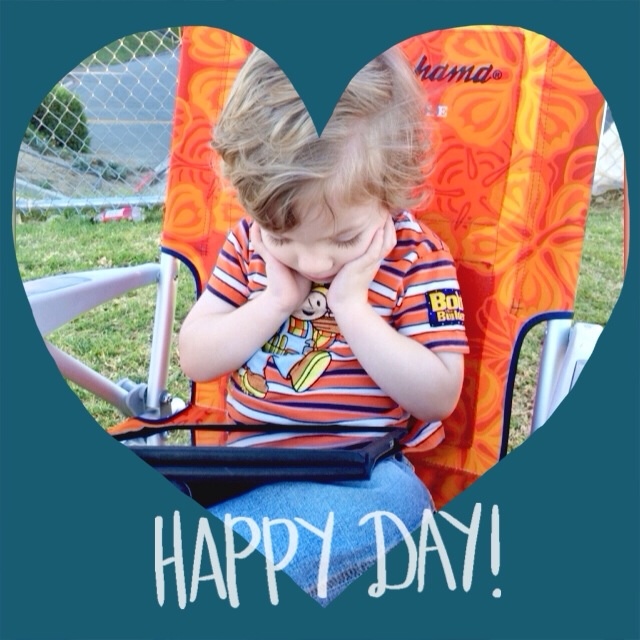
This is similar to Rhonna but more simplified with less options.  The doodles and texts available seem to be more fun and whimsy.  There are about 24 different font options and I love that they are all very different from each other and would fit a wide variety of picture styles.  I feel like the selection is even great than in Rhonna's when it comes to text variety.
IMG_8560
There are some fun doodles that are unique to this App and also I love some of the shaped overlays and backgrounds.  All of the text and doodles are editable in color, location, size and transparency.
IMG_8573

You can add multiple doodles or text and then can double tap on whatever doodle or text you want and can change or delete it.  The Rhonna App seems to have a lot more options, but this app is more straightforward to use, but I love them both.

Collages
 For this one I had a hard time picking my number one, as I think I use both equally, but might us Pic Stitch just a bit more; as long as both are still free, which InstagCollage is for a limited time, then either is great.

picstitchPic Stitch (FREE)
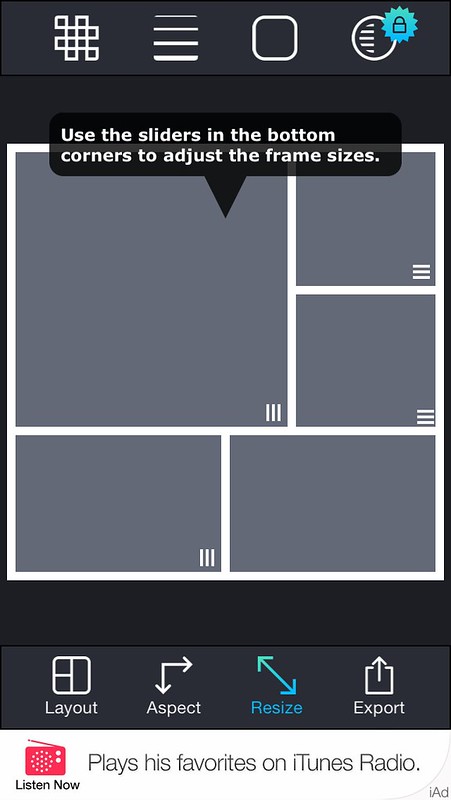
From 1 to 16 picture collages, this has about 80 different collage layouts all free, with about 200 more you could purchase.  But each layout is is actually adjustable in the resize option, so there really isn't much need to purchase additional layouts.  All of the layouts are a square or rectangle crop.
IMG_8561
PicStich now regular freebies, where if you watch a 15 second ad you can get another layout free. There are boarder packages you can purchase, but otherwise you cannot adjust the color of the frames.

This is much more than just a collage app though; when you click on each picture there are options for filters, ability to enhance, stickers, orientation, crop, adjustments, text, red eye, even healing blemishes and a cool focus where you can select what part is in focus, giving a slight blur to the rest of the picture.
IMG_8563

I often forget there are these options though and usually just use this app for the collage itself.

IMG_8564
There are ads at he bottom (as seen in the screen shot above), but it is just a small box and doesn't interfere.

instaInstaCollage  (FREE for a LIMITED TIME!)
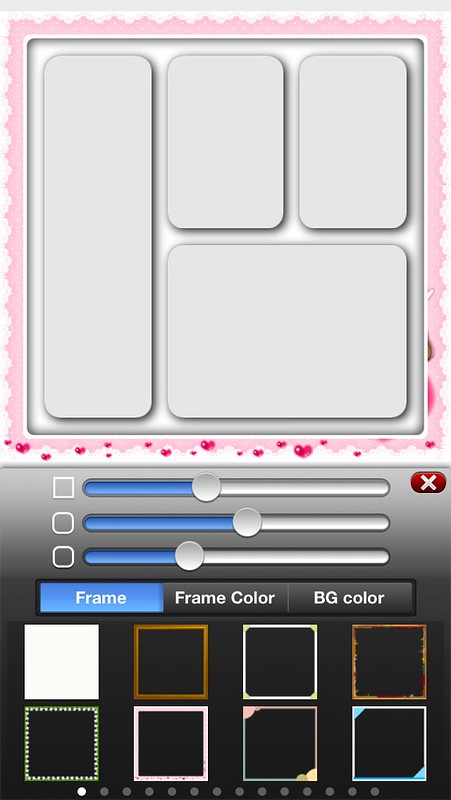
If you are looking for different shapes in your collage then this is the App for you. Triangles, circles, and just random shapes are some of the pictures options within these collages.  There are over 100 different frames, including holiday, themes, multi color and various designs.
IMG_8567

Each of these frames is adjustable to whatever color you like.  You can also adjust the background and line color.  You can slightly resize the size of each picture area and give it a rounded corner but you cannot totally change the size of each frame.
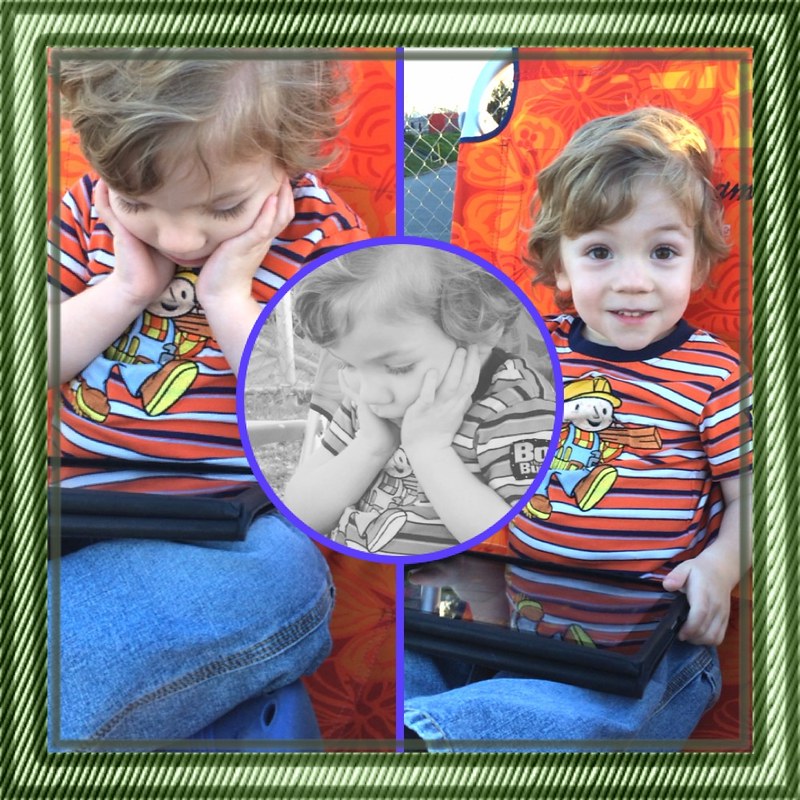
IMG_8565

You can also edit each individual picture with extremely similar settings/filters/ etc. as PicStitch.

Video/Other 

picplayPicPlayPost  ($1.99)
Have you seen those collages on Instagram that are actually little videos too?  With 36 different collage layouts, you can post multiple videos in one "picture".

IMG_8568
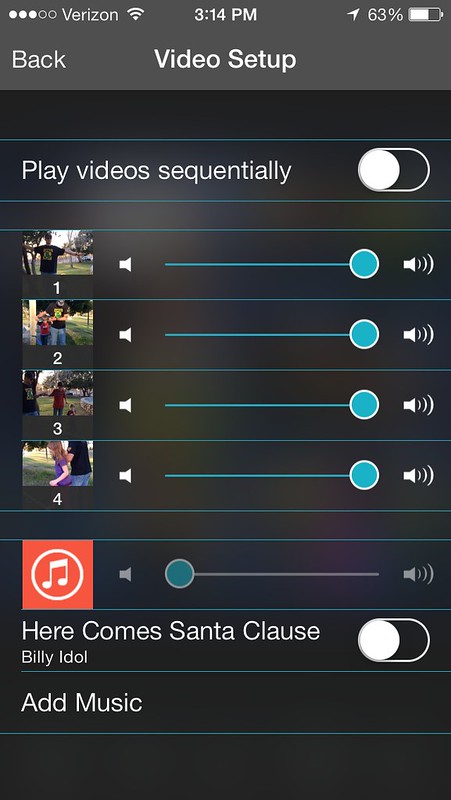
You can choose to play the videos sequentially, or all at once.  You can also adjust the volume of each video clip individually or just mute the sound and add a song from your music library.
IMG_8569

flipFlipagram (FREE)
Have you seen those short videos on instgram flipping through pictures?  That can be done with Flipagram. You can create a short video which flips through your pictures from your phone set to music.  The more pictures you select the faster it will flip through.  After you select the pictures you can change the order, crop the picture or even duplicate it.  You can even pick pictures from your instragram feed.
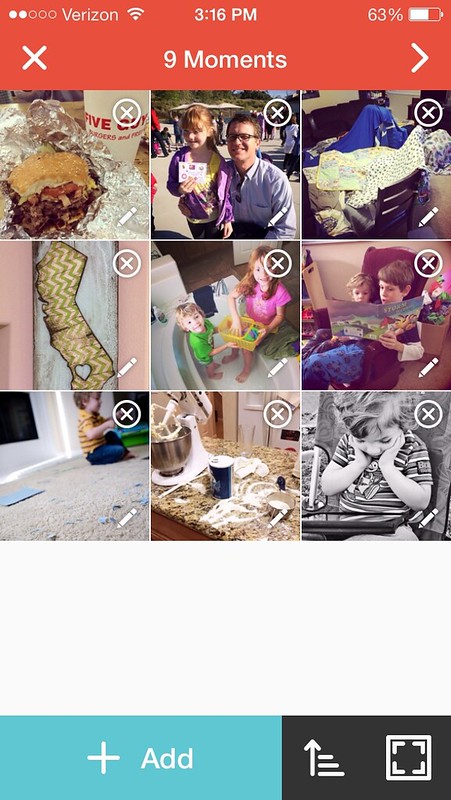
IMG_8570

Then you can either choose your own music, or choose a short music clip from a huge library of songs, everything from Disney, to classic, to country, dance and pretty much any style you could think of; they just ask that you copy a certain hash tag with the name of the artist and song when doing that.

**************

Those are my favorite apps.  This is by no mean a comprehensive list, just some that I have tried and used and I have kept, as I have tried many which I ended up deleting.

What Phone Apps do you use to edit pictures?

Tuesday, August 18, 2009

Tasty Tuesday: Cupcake Heaven

Look what we made!

It isn't a cake, but cupcakes!
We got this great set from Wilton
and I love it


You can place the cups and form whatever you want
And the cups have fill lines, so no guessing as to what is 2/3 full

And I had a cute helper the whole time

Who was more than happy to clean up the extra frosting

Thursday, August 6, 2009

Clothes are Not for Bros

I am not a girly girl. I wouldn't call myself I a tom-boy either... I guess I am just a happy medium. While I wouldn't wear sweat pants and a t-shirt in public; I really don't care too much about clothes. But then something happened.

I had a girl.

I still don't buy clothes for myself very often.. but Alex is another story.

Take our recent purchase from the end of summer clearance from Children's Place

Alex's clothes...............Lucas clothes

As you can see Alex has just a few more outfits that Lucas.

But don't worry I don't neglect him. He gets lots of toys. I often come home from the store with toys for Lucas and clothes for Alex.

Am I the only one??

P.S Don't forget to write your funny/scary/embarrassing bug story to link up with tomorrow!

Thursday, April 30, 2009

Too Cute To Resist!

yesterday I bought something at the store
solely because it was cute

we weren't at the mall
we weren't even at one of the big box stores
we were at the grocery store

it wasn't one of those irresistible
end-of-the-row displays

it was right in the middle of the row

of pasta...


but look how little and cute it is!

wasn't even sure if it was rice or pasta
(it's pasta)
but it was just so little and cute
and on sale of course

could you resist?

even with my weakness between coupons
and sales I spent $50.48 and saved $86.36
so it's okay!

Monday, April 20, 2009

It Got Me!

The other day I was flipping through a catalog my mother-in-law had and was having a good laugh at all of the things you could waste your money on. If you have seen just about any product that they sell on TV you know what I am talking about. One of my favorites was the Color Changing Faucet Light that would let you know when your water is getting hot.

It wasn't 4 easy payments of $9.95 or anything like that just $4.95, but still I could get lots of chocolate for $5! Hmm... though I guess that technically is a waste too, but shh don't tell.

As I kept flipping though, suddenly I was caught! Alex's bedroom is decorated with butterflies. She has butterfly stickers on the wall and a butterfly lamp... plus the 3-dimensional butterfly project I have bought most of the supplies for but never started... that could be a whole other blog entry though. But once I saw it and saw the price, I knew I had to get them! I went on-line, so much easier than through the mail, and placed the order for these two cute lights!
Yes, I couldn't resist, especially when I saw the price, only $6.95 for the set!! So if you want to find other good things to waste your money on check out this great site.

Saturday, April 18, 2009

Gray Be Gone!

Before... taken just earlier today
And After!
The gray is no longer! I am loving it! Like my hair cut too.

Finally Going to Do It!

I have inherited a lot of great things from my mother, including a great metabolism. One thing I wish I hadn't inherited is my gray hairs. They made their debut when I turned 18.. and well it has gotten pretty bad. I have thought about dying my hair many times, but I knew once I did I will have to keep it up regularly, and for a girl who gets her hair cut every 6 months at best this just sounds like a big pain!

Today at 1:00 PM I am biting the bullet. I am getting my hair cut and dyed. I am having it professionally done as well I am a bit scared to try it myself and I just keep putting it off.

So my husband, the awesome man that he is, told me to just go get it done and he will watch the kids while I hang out and the beauty salon. Here I go!

ShareThis